Skip to content
Daily jobs · Permanent jobs · Messenger

Find work.
Find workers.
One app.

Pick up short-term work nearby, apply for full-time jobs or find people to hire — and talk it through in the built-in messenger.

Inside Guds

One app.
More opportunities.

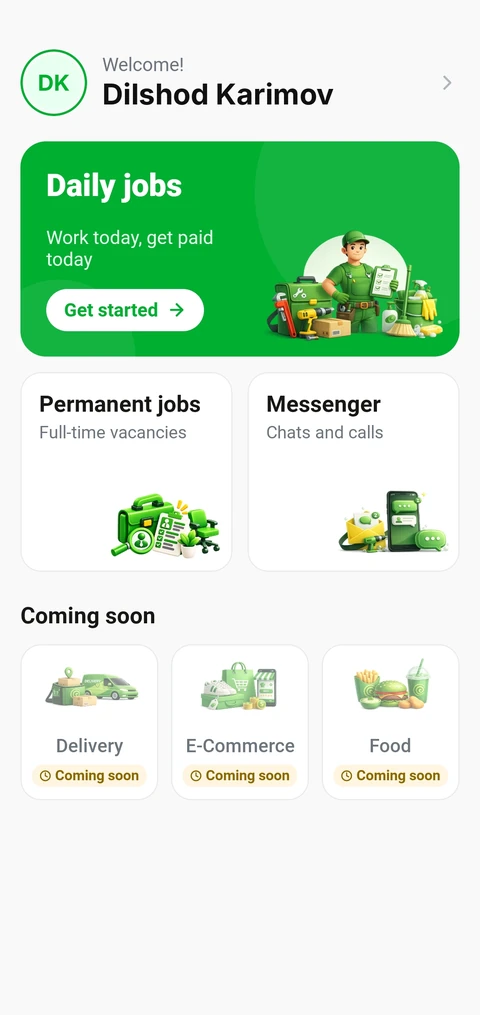
Three services work today: daily jobs, permanent jobs and a messenger. Delivery, shopping and food are on the way — in the same app.

Available now01

Daily jobs

Short-term work close to you — or someone nearby to help with your task.
Worker in green overalls with tools and cleaning supplies
For workersEarn with daily jobsChoose your work types, go online and take orders nearby.
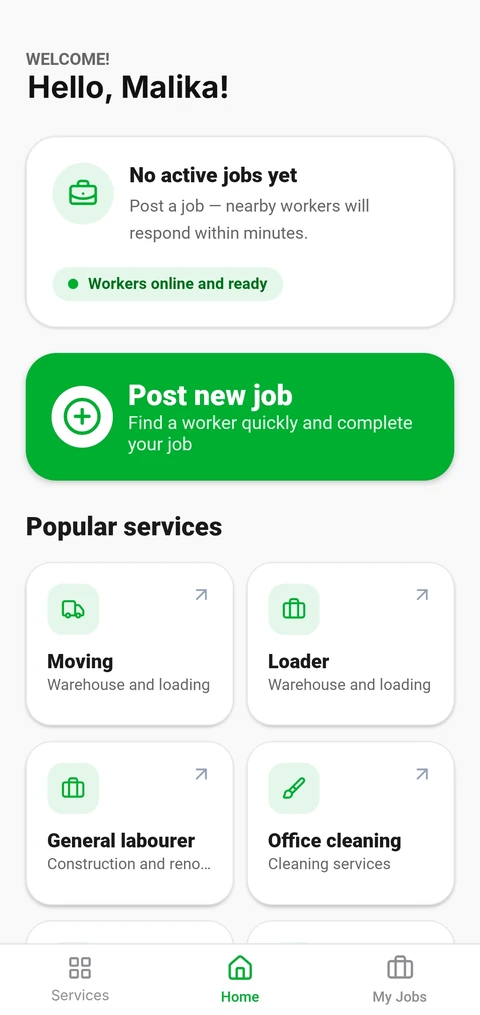
For clientsGet work donePost a job and Guds notifies matching workers around you.

How daily jobs work
Available now03
Phone with chat bubbles and an envelope

Messenger

Chats and calls between candidates, workers and employers — right inside Guds.

Coming soon

More services on the way

In development. They will appear in the app when they launch.

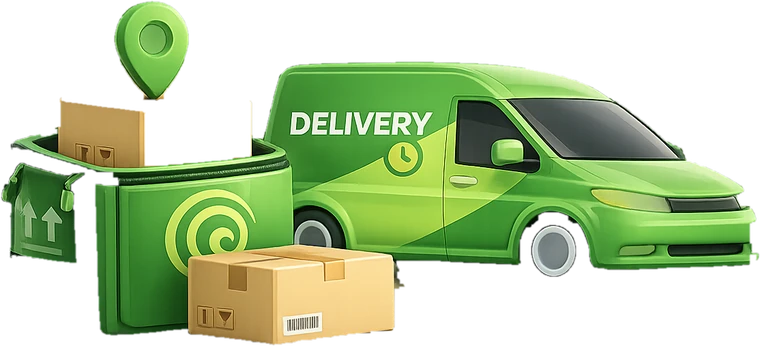
  • Delivery van with parcelsDeliveryComing soon
  • Shopping bag, sneakers and a phone shopE-commerceComing soon
  • Burger, fries and a drinkFoodComing soon
Permanent jobs · For job seekers

From a vacancy to an interview, in one app.

Browse vacancies, read the details, pick the resume that fits and apply. When the employer answers, you talk in Messenger.

  1. 01Discover vacanciesBrowse jobs and save the ones you like for later.
  2. 02Review the detailsSee the pay, schedule and what the job involves.
  3. 03Choose your resumeKeep more than one resume and send the one that fits.
  4. 04Apply and talkFollow your application and chat with the employer in Messenger.
Permanent-jobs screens above are design previews.
Permanent jobs · For employers

Hire people who are ready to work.

Search public resumes, publish your vacancy and keep every response in one list — then invite the people you want to meet.

  • Browse public resumes
    Look for candidates before you even post a job.
  • Publish vacancies
    Describe the role, pay and schedule in one form.
  • Manage applications, talk in Messenger
    Sort responses, then chat or call the people you invite.
Daily jobs

Short jobs, nearby people, real time.

A client posts a job, Guds notifies matching workers nearby, and a worker who is online takes it. Both sides follow it in the app.

For clients

Need a hand today?

Moving, loading, office cleaning and other short jobs.

  1. Post a new jobPick a service — moving, loading, cleaning and more.
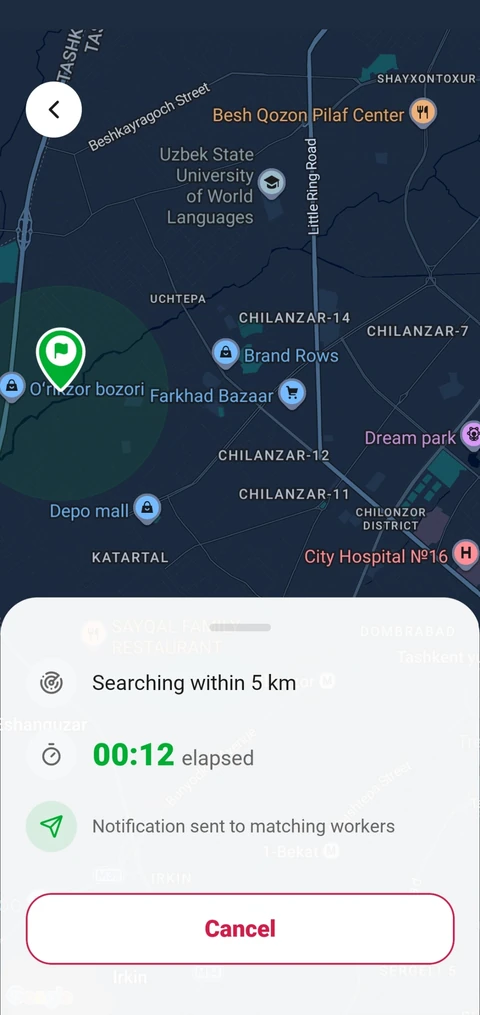
  2. Guds searches nearbyMatching workers around you get a notification.
For workers

Want to earn today?

Take short jobs that match your skills, close to where you are.

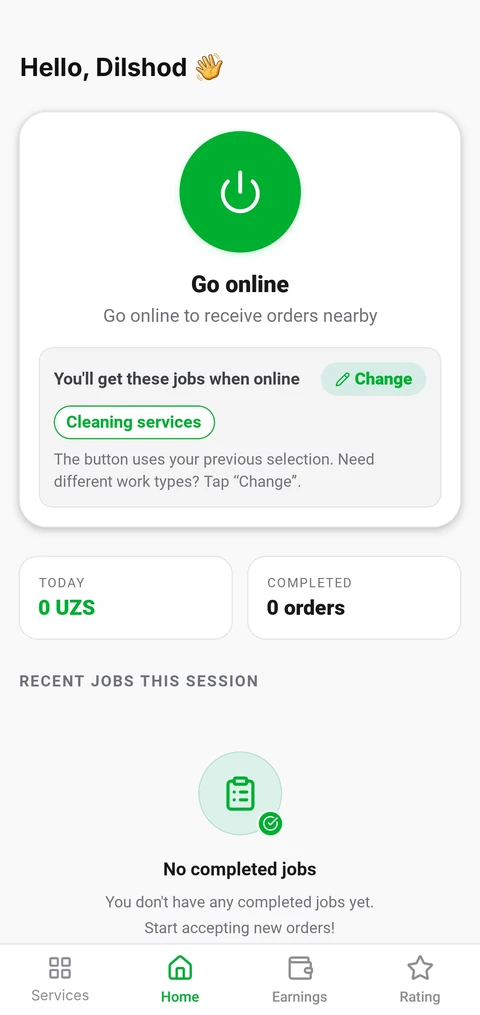
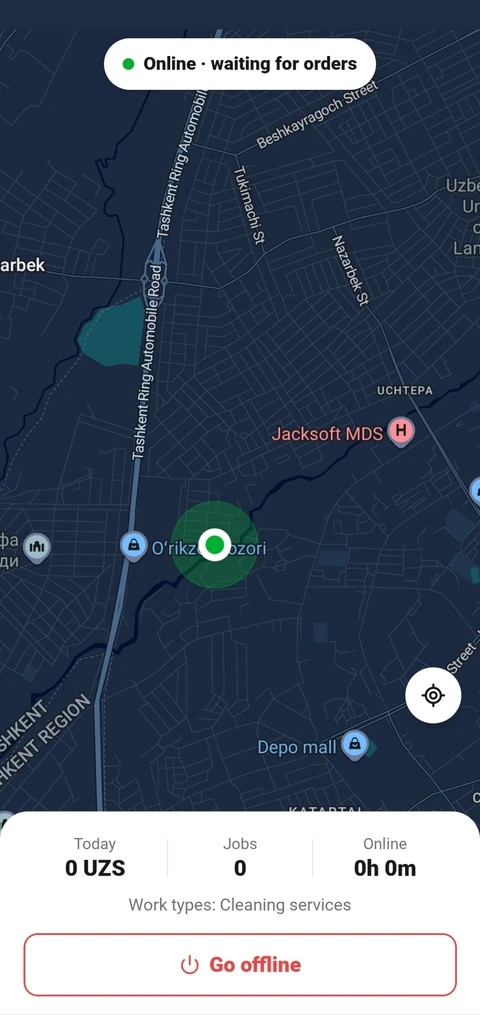
  1. Choose work types, go onlineTell Guds which jobs you take, then tap Go online.
  2. Wait for orders nearbySee today's earnings, jobs and time online.
ThenThe worker arrives and does the job. When it's done, both sides rate each other.
Daily jobs depend on clients and workers who are active in your area.
Designed for both sides

Built for both sides of the job.

Guds is a direct link between people who work and people who hire. Each side gets what it needs to decide with confidence.

For people looking for work

More ways to earn, closer to home.

  • A steady job or extra incomeApply for full-time vacancies and take daily jobs when you have free time.
  • Work close to where you areDaily orders come from clients near you.
  • Only the jobs you wantChoose your work types and get orders that match them.
  • Earnings and rating in one placeSee today's earnings, completed orders and your rating.
For employers and clients

The right person, when you need them.

  • Reach people who want to workBrowse public resumes, or let nearby workers come to you.
  • Cover urgent tasksPost a short job for moving, loading, cleaning and more.
  • See the search happenFollow on the map while Guds looks for workers near you.
  • Choose with more confidenceRead resumes before you invite, and ratings after daily jobs.
How it works

Start with what you need.

Download Guds, pick a service and choose your side. Daily jobs and permanent jobs work differently — so do their first steps.

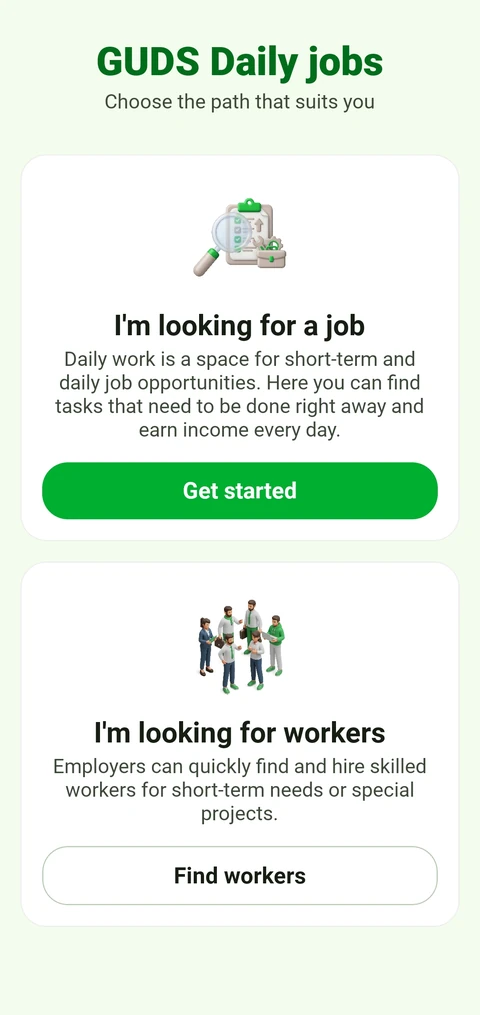
In Daily jobs you choose your side first.

Find a job

Permanent jobs
  1. 1Create your resume
  2. 2Apply to vacancies
  3. 3Talk in Messenger

Hire staff

Permanent jobs
  1. 1Publish a vacancy
  2. 2Review resumes and responses
  3. 3Chat or call candidates

Earn with daily jobs

Daily jobs · worker
  1. 1Choose your work types
  2. 2Go online
  3. 3Take orders nearby

Get a task done

Daily jobs · client
  1. 1Post a new job
  2. 2Guds notifies workers nearby
  3. 3Confirm the job and rate
Download the app

Your next opportunity starts with Guds.

Find a job, hire people or pick up daily work nearby. Get the app and choose your path.